
Shipping now
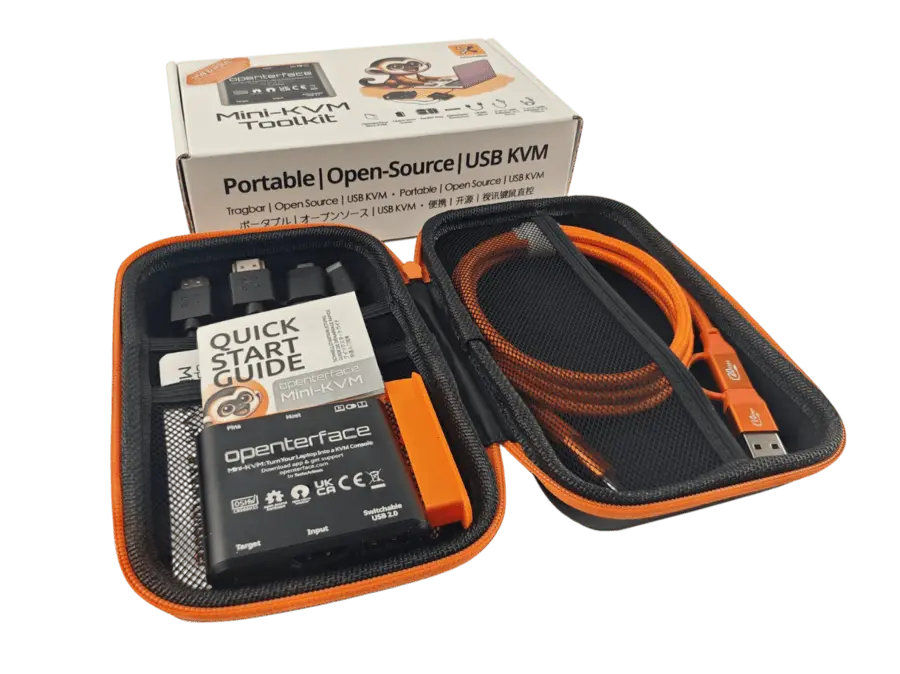
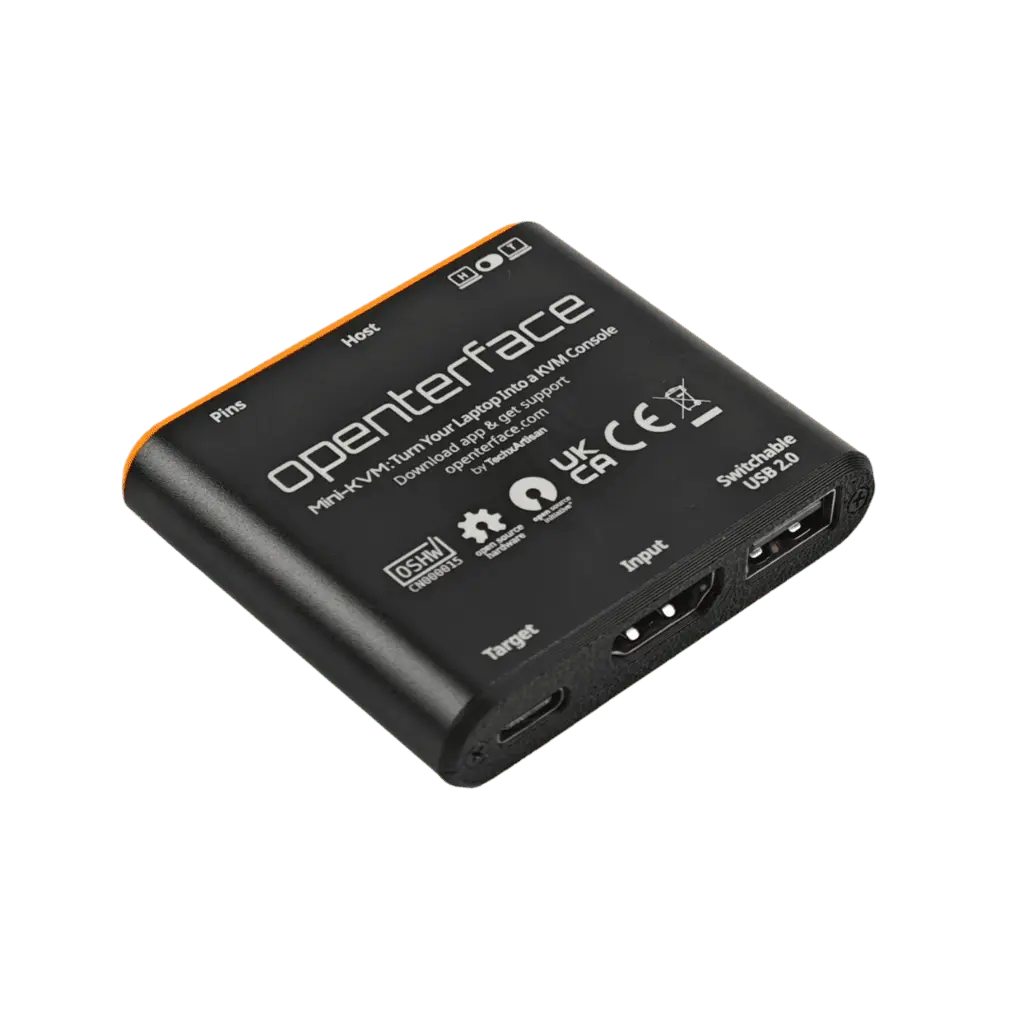
Openterface Mini-KVM
Turn Your Laptop into a KVM Console
Simplify Your Tech Life.
Especificaciones detalladas, guías de configuración y preguntas frecuentes están en docs.openterface.com.
Abrir documentación ↗Mantente informado
Recibe novedades y firmware de Openterface Mini-KVM
Entérate primero de preventas, firmware y consejos de configuración de este producto — como máximo un correo al mes.
- Acceso anticipado a crowdfunding y ventanas de reserva
- Guías de configuración y notas de versión de la app
- Cancela la suscripción cuando quieras con un clic
Our Openterface Mini-KVM is a plug-and-play KVM-over-USB solution. Control a nearby headless computer directly from your laptop using USB and HDMI — no extra peripherals or network connectivity required.
El problema
- Lugging a monitor and keyboard for every server fix is impractical
- Network KVM requires configuration and connectivity
- IT professionals need a reliable pocket KVM daily
La solución
- Use your existing laptop as the KVM console
- HDMI capture + USB HID in one compact device
- Proven by 5,000+ community members since 2024
Hardware + Software
Los productos Openterface funcionan mejor con nuestras apps host de código abierto.
- BIOS-level access
Reach firmware, boot menus, and startup screens without network dependencies.
- 4K HDMI capture
Up to 3840×2160 @ 30Hz input with full HD output and under 140ms latency.
- Switchable USB port
Share USB drives between host and target — ideal for OS installs and recovery.
Casos de uso
Data center & server rooms
Replace rolling crash carts with the laptop you already carry.
Homelab & SBC setup
Configure headless Raspberry Pi, NAS, and lab nodes from one laptop.
BIOS & firmware access
Reach boot menus and recovery screens with no network KVM required.
Developer bench
Side-by-side host/target control without a second monitor.
Kiosk & embedded systems
Field configuration for displays, signage, and appliances.
MSP field toolkit
Quick headless access on customer sites — fast, offline-capable, pocket-sized.
Especificaciones clave
- Video input
- Up to 4K @ 30Hz (HDMI)
- Video output
- 1080p @ 30Hz, <140ms latency
- Dimensions
- 61 × 53 × 13.5 mm (~48g)
- Power
- USB-C (no external supply)
- Host apps
- macOS, Windows, Linux, Android
- Target device
- Plug-and-play — no software install
What reviewers & testers say
“Promises to be a low cost, feature packed way to use a laptop as a monitor, keyboard and mouse for accessing servers and other computers.”
“A simple gadget concept that has a permanent home on my test bench, turning my laptop into my display, keyboard, and mouse.”
“Plug-and-play and network-independent KVM-over-USB that establishes a direct HDMI and USB connection between host and target.”
“In datacenters it's cool that this totally replaces a crash cart using the laptop you'd already have with you!”
“Latency is definitely better than using VNC… Overall a very solid device, it has been a very worthy addition to my daily carry toolkit.”
“An extremely useful tool… The hardware is more than solid and the toolbox also contains all the accessories you need.”
YouTube
Community reviews & demos

Openterface Mini-KVM ¡Controla Todo desde un Solo Lugar y Revoluciona tu Gestión Tecnológica!
Escuela De Informática · 1.8K views

Openterface Mini-KVM: Controla un segundo PC sin monitor sin teclado y sin ratón desde tu portátil
Javier Gutierrez Abella · 1.5K views

A Tiny KVM That Solves Big IT Headaches
Geek Of All Trades · 7.9K views

This USB KVM Console is Awesome! - Openterface by TechxArtisan
Cameron Gray · 60.2K views

A USB KVM for your IT Tool Bag
apalrd's adventures · 26.7K views

【楽しすぎる】M4 MacMini 2024を外に持ち出す方法がロマンすぎた!!!!
野市 零 / Zero Noichi · 16.0K views
Latest Mini-KVM updates
Firmware releases, app updates, and community news.
Read on Openterface News →